Skip to content
Black Friday · −50 % off your first invoice on Xeon VPS with code BF50XEON, −30 % off our other services with BF30 · domain names and dedicated servers excluded See our plans
CloudFive
Log in

Arma 3 hosting, ready in 30 seconds.

Arma 3 for your missions and mods, with the CPU frequency the engine demands.

From €4.00 per month, no commitment.

Processor
Ryzen 9 9950X

The same Ryzen 9, from the first tier to the last.

Network
25 Gb/s

Headroom for connection peaks, no bottleneck.

Protection
Anti-DDoS included

Filtered upstream, before it reaches your server.

Infrastructure
France

Low latency, data under French law.

Choose your plan.

Included in every plan From the first tier to the last, at no extra cost.
  • Ryzen 9 9950X processor
  • 25 Gb/s network
  • Anti-DDoS Premium Arma 3
  • No commitment
  • 7/7 support

Included in all 6 plans

Arma 3 hosting plan comparison
Feature Starter €4.00/month Essentiel €7.50/month Most popular Avantage €17.00/month Performant €26.00/month Expert €34.50/month Ultimate €69.00/month
vCPU 2 4 6 8 10 Unlimited*
Players ~8 ~16 ~32 ~48 ~64 64+
RAM 4GB DDR5 8GB DDR5 16GB DDR5 24GB DDR5 32GB DDR5 Unlimited*DDR5
Storage 25GB NVMe 50GB NVMe 70GB NVMe 85GB NVMe 100GB NVMe Unlimited*NVMe
Databases 2 3 3 4 4 Unlimited*
Order Order Order Order Order Order Order
After you click Order
  1. Payment in your CloudFive customer area (manager.cloudfive.fr), by card, or PayPal via the team.
  2. Automatic setup: the service is created right after payment.
  3. Everything is managed in the customer area: console, files, backups and access. An email lets you know as soon as the service is ready.
  4. Need help with the first setup? Open a ticket or join the Discord, we'll guide you.

You can change plan anytime from the customer area, without losing your data. Prices include all taxes, no setup fees. The "~" in front of a player count indicates an approximate capacity: it depends on the scripts and resources you install. "Unlimited*": no cap set by us, within reasonable use of the shared machine.


Customer area

Your server, in your customer area.

Console, files, backups, protection and invoice: one page, one login. No separate panel.

The CloudFive customer area covers everything a game panel can do, in French and in our own words: start, read the console live, upload a file, restore a backup, open a port. The same page shows you your address's anti-DDoS protection and your next due date.

When something gets stuck, a diagnostic reads the last console lines and tells you in plain language what it recognises. And if you prefer a human, the ticket starts from the server page, with the context already filled in.

The same screens in the iPhone and Android app. See the app

serveur-rpFiveM · Starter · 203.0.113.42:30120
OnlineRestartStop
ConsoleFilesBackupsDatabasesSchedulesAccessProtectionPlan
CPU23 %
Memory3.1 / 8 GB
Disk14 GB
Players14 / 64
Online6 j 04 h
[ script:oxmysql] Database server connection established.
[ resources] Started resource es_extended
[ resources] Started resource ox_inventory
Authenticating server license key...
Server license key authentication succeeded.
[ citizen-server-impl] Server started on port 30120
Connecting: Ava (identifiers: steam, discord)
Connecting: Noah (identifiers: steam, license)
›say Restarting in 5 minutes
The console, with resources above it.Logs arrive live, commands keep their history, and CPU, memory, disk and players stay displayed while you read.
serveur-rpFiveM · Starter · 203.0.113.42:30120
OnlineRestartStop
ConsoleFilesBackupsDatabasesSchedulesAccessProtectionPlan
BackupsCreate a backup
  • Today · 6:00 am1.8 GB · automatic
    ReadyRestore
  • Yesterday · 6:00 am1.8 GB · automatic
    ReadyRestore
  • Day before yesterday · 10:41 pm1.7 GB · before update
    LockedRestore
  • 3 days ago · 6:00 am1.7 GB · automatic
    ReadyRestore
  • 4 days ago · 6:00 am1.6 GB · automatic
    ReadyRestore
Backups, down to the date.Each backup shows its date and size. Restoring asks for confirmation, because the server stops while it runs. You can also download them.
serveur-rpProtection for 203.0.113.42
OnlineRestartStop
OverviewConsoleBackupsNetworkProtectionPlan
QuietGAME profilelevel 2 · game ports declared
3Attacks blockedthis month
41 GBRejected trafficthis month
2.4 Gb/sAttack peakon the 12th at 9:04 pm
27 minCumulative durationthis month
  • Nov 12 · 9:04 pm9 min · UDP flood
    filteredDetails
  • Nov 9 · 2:31 am14 min · known sources
    filteredDetails
  • Nov 2 · 7:12 pm4 min · malformed packets
    filteredDetails
What the filter did for you.Each address has its own Protection tab: current status, attacks this month, rejected traffic, and a log of every attack with its reason in plain French.

Customer area preview, with sample values.

From the server page
  • Live console, commands, resources at a glance
  • Files: editor, drag and drop, archives, import by URL
  • Dated backups, restorable in one click
  • Schedules in plain French: “every day at 6 am”
  • Shared access for your team, permission by permission
  • Address anti-DDoS protection, attack by attack

Included, no add-on

The protection is written by us.

No subscription to a third-party provider: anti-DDoS filtering is our own code, which reads every packet before the network stack. Six profiles depending on use, one setting per service — and for a game server, a profile built for this traffic.

See what we block, live
Attack packets filtered out, per secondpeak per half-hour, last few days · measured on our network, updated every minute
01 k2 k3 kNov 7Nov 8Nov 9Nov 10
Peak of 3,000 packets/s on 8 November at 1:27 pm, filtered out without cutting legitimate traffic.

They host a server with us.

Public reviews left on Trustpilot, unedited. The rating and count are today's.

4.7/5 124 reviews on Trustpilot
Bientôt 1 mois chez CloudFive (offre expert) et je renouvellerai avec plaisir ! Offre au top, support 5 étoiles, conseils et accompagnement au top ! Je ne peux que recommander !
Looks GAug 2026
Service rapide et efficace. En cas de problème staff extrêmement réactif, même à des horaires de nuits. Serveur sans aucun lag, il ne ram pas d'un pouce pour un serveur milieu d'offre chez eux.
TheBadAssJun 2026
Très bon hébergeur, ils ont été là pour aider à régler mes soucis. Ils arrangent leur client quand ils peuvent. Je recommande
Sao__OXYOct 2026
Héberger, au top. Niveau, rapidité sur les tickets, problème & question. Toujours, aussi rapide ! Rien, n'as dire. Je vous le recommande à 100%.
Nolhan VandammeJul 2026
Super réactiviter malgrer l'heure + ils ont été super efficace a peine 2min et tout revient a sa place je recommandee
Sofian BerkaneAug 2026
Rapport qualité prix exceptionnel
ElvineAug 2026
Personnels réactif, et à l'écoute. A su corriger mon erreur.
Enzo ChalendarAug 2026
Service Client tres reactif prix en charge en 5 minute avec resolution de problème je recommand.
Slowcat _Jun 2026
Super merci pour votre réactivité. Merci à Mathéo THOMAS qui a géré pour mon petit soucis
crible FractureAug 2026

Choosing well

Which Arma 3 server for your missions.

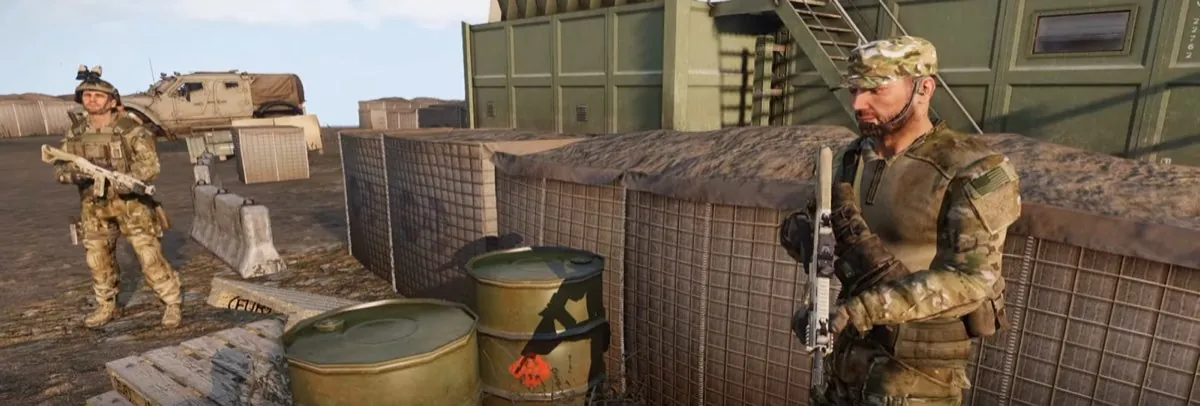
Arma 3's engine depends mainly on the speed of a single core: artificial intelligence and simulation run on one main thread. The number of players and mods does the rest.

  • Small-group missionsStarter and Essential for 8 to 16 players, on classic cooperative missions.
  • Units and large modsWith packs like ACE or RHS and 32 players or more, aim for Avantage or Performant: disk and memory keep up.
  • Ryzen 9 9950XHigh clock speed on every core, exactly what the engine needs.
  • FilesMissions, mods and configuration are uploaded from the customer area, by drag and drop or URL import.
Good to know

An Arma 3 server that handles the load.

Why Arma 3 is demanding to host

Arma 3 simulates a lot: artificial intelligence, vehicles, mission objects. A large share of that work runs on one main server thread. When that thread saturates, server frames per second drop, the AI reacts late and players see units teleport.

Hence a simple rule: to host Arma 3, single-core clock speed matters more than the number of cores. Our servers run on a Ryzen 9 9950X on every plan, with DDR5 memory and NVMe storage, in France.

Player count is only part of the equation. A co-op mission full of AI often loads the server more than a game with more players: the mission, as much as the headcount, decides the plan.
Which plan for your unit

  • Starter and Essentiel: 4 and 8 GB, for 8 to 16 players on classic co-op missions;
  • Avantage and Performant: 16 and 24 GB, for 32 to 48 players, or a unit playing with ACE, RHS and their dependencies;
  • Expert and Ultimate: 32 GB for about 64 players, Ultimate beyond that, for large operations and modded public servers.

Memory fills up as the mission goes on, especially with heavy packs: leave some headroom. You switch plans from the client area, without losing any data.

Mods, keys and missions

A modded server only accepts players who load the same mods, in the same version. Points to watch:

  • each mod has its .bikey key, to place in the server's keys folder; without it, verifySignatures kicks players;
  • dependencies load before the mods that need them, CBA_A3 before ACE for example;
  • a mod update is made on the server and on players' machines at the same time;
  • multiplayer missions, in .pbo format, go in MPMissions;
  • mods needed only by the server, such as admin tools, load with -serverMod: players do not have to install them.

In the client area, missions, mods and config files are uploaded by drag and drop or imported from a URL: a large pack does not have to go file by file through your connection.

Keeping the server smooth during an operation

  • Measure: #monitor shows server frames per second during a busy mission;
  • Spawn the AI as the mission progresses rather than all at the start, and clear wrecks;
  • Offload the AI to a headless client when the mission supports it;
  • Restart daily at an off-peak time, to start again with clean memory.

To manage the server without being in game, the server console is in the client area, and BattlEye RCon access is set in beserver_x64.cfg.

Your Arma 3 server with CloudFive

A unit quickly loses patience with a server that is unreachable on operation night. Anti-DDoS Premium tuned for Arma 3 is included on every plan: the filter reads each packet before the operating system and lets game traffic through, with no detour that would add latency.

Plans come with no commitment, support answers 7 days a week, and the team helps you if you are moving from another host. Ports, server.cfg, difficulty profile: it is all covered in the guide create an Arma 3 server. Moving to the Enfusion engine? See Arma Reforger hosting.


Frequently asked questions.

Which payment methods do you accept?

By card (CB, Visa, Mastercard, Apple Pay) or SEPA direct debit, on a secure payment page, and with your account credit. PayPal payment is handled with the team: open a ticket with the invoice number.

Can I change my Arma 3 plan?

Yes, you can change plan anytime from your customer area, with no data loss.

Are your Arma 3 servers protected against DDoS attacks?

Yes, all our Arma 3 servers include Arma 3 Anti-DDoS Premium protection to ensure optimal availability.

Can I install mods and plugins on my Arma 3 server?

Yes, you have full access to install the mods, plugins or resources of your choice.

Can I migrate from another host?

Yes, we can help you migrate from another provider. Contact our support.

Do I have full access to administer my server?

Yes, all our Arma 3 plans include full access to your server administration via our management panel.

Can I cancel my service at any time?

Yes, our plans have no commitment. You can cancel anytime from your customer area.

Why does the processor matter so much on Arma 3?

Because the server computes much of the simulation on a single core. A high-frequency processor, like the Ryzen 9 9950X, keeps the server frame rate stable when the AI gets busy.

Can I install my mods and missions?

Yes: you have access to the server files to add your mods and missions, and to its configuration.

Which plan for a unit playing with ACE and RHS?

Aim for Avantage (16 GB) or Performant (24 GB): these packs need a lot of memory, and it fills up as the mission goes on. Starter and Essentiel suit 8 to 16 players on classic co-op missions.

How do I upload a large mod pack to the server?

From the client area, by drag and drop or by importing from a URL. Then copy each mod's .bikey key into the keys folder, and declare the mods in dependency order.

Do missions made in the Eden editor work?

Yes. Export them for multiplayer, in .pbo format, then drop them into the MPMissions folder. If the map comes from a mod, that mod must be loaded by both the server and the players.

Can I manage the server without being in game?

Yes. The server console is in the client area, and BattlEye RCon access lets you manage it remotely with a dedicated tool, using a password different from the admin password.

I've never hosted before, will I manage on my own?

Yes. The server is delivered installed, with a panel where everything is done by clicking: start, view the console, upload files, restore a backup. And if you get stuck, the ticket or Discord is there for that, not only for outages.

You are with OVH, so is it their protection?

No. The upstream network is our carrier's, with its own basic protection. But the filtering that protects your server is ours: written by us, tuned service by service. That is what lets us adapt the protection to a specific game.

How long is my data backed up?

Five rolling days on game plans, restorable file by file from the panel. And you can download a full backup whenever you want.

Support CloudFive AI

An answer right away, a real team behind it.

CloudFive AI answers you at any hour, in seconds. When it doesn’t know, or as soon as you ask, the team that runs the machines takes over. No offshore call centre.

  • TicketThe team replies in under 2 hours, 7 days a week.
  • CloudFive AIAt any hour, on ia.cloudfive.fr, Discord and in your customer area.
  • DiscordThe team, the AI and other customers, in the help channel.
  • Your data stays with usAI runs on our servers in France; e-mails, IPs and passwords are masked.
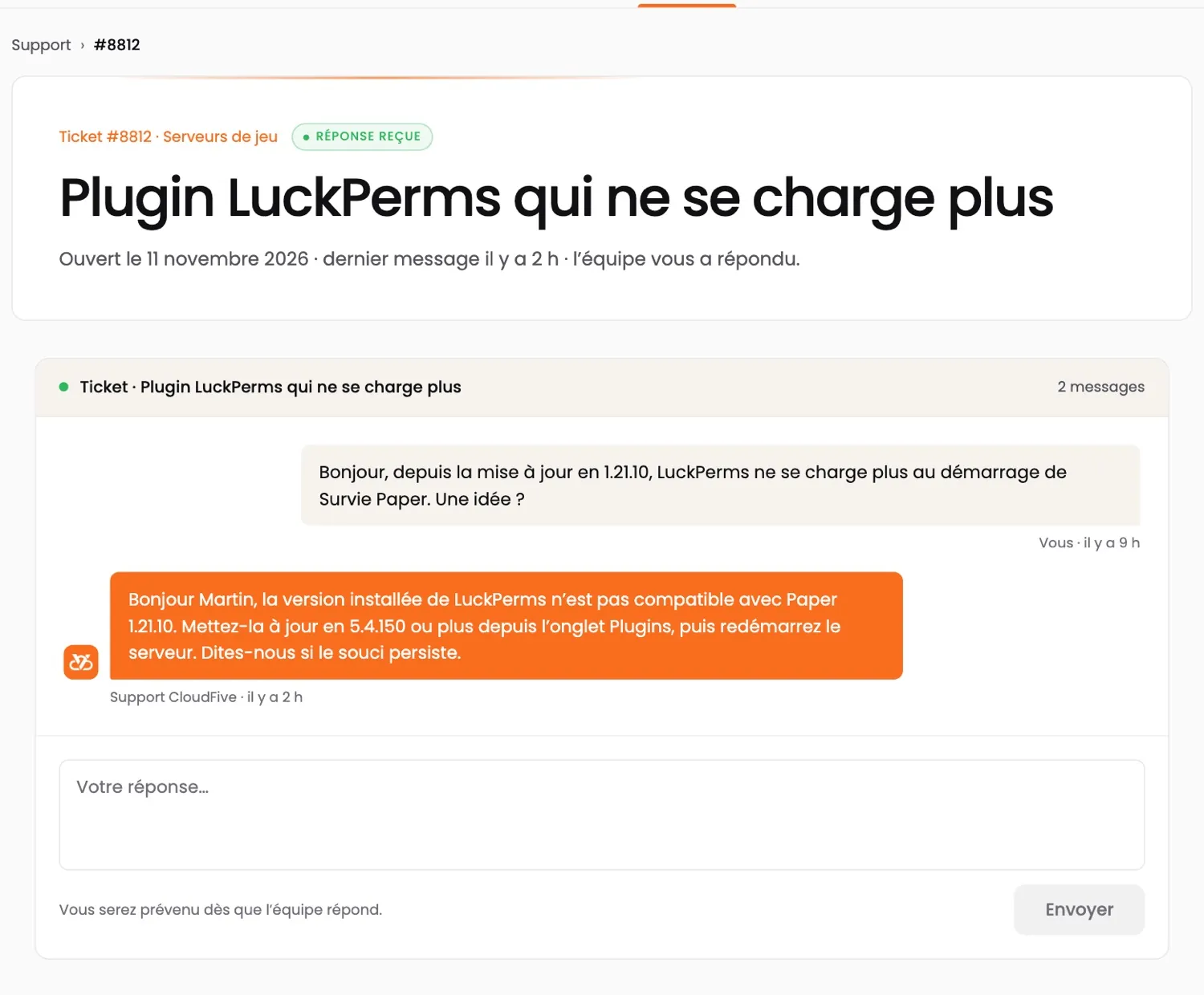
A ticket in the customer area: a customer’s question about a Minecraft plugin, and the CloudFive team’s reply
A real ticket in the customer area, answered by the team (demo account; shown in French).
CUSTOMER AREA · APP

Your servers.
At your fingertips.

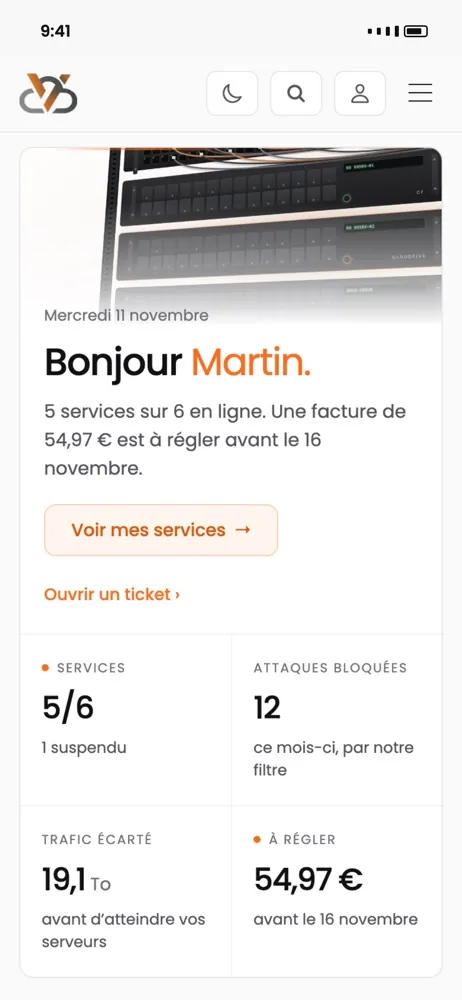
Restart a server, watch its resources live, pay an invoice or open a ticket — and get an alert when something goes wrong.

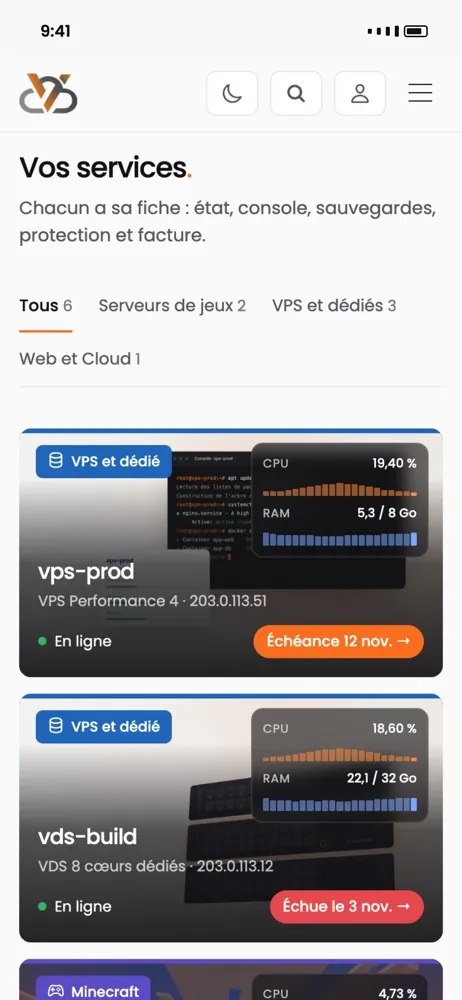
  • The status of all your services at a glance
  • Blocked attacks, filtered traffic, monthly peak
  • A notification when a server goes down or an invoice is due

App coming soon · in the meantime, everything works in your browser at manager.cloudfive.fr

The CloudFive app: the list of your services, with their status
The CloudFive app: the home screen, your services’ status, blocked attacks and an invoice to pay