Skip to content
Black Friday · −50 % off your first invoice on Xeon VPS with code BF50XEON, −30 % off our other services with BF30 · domain names and dedicated servers excluded See our plans
CloudFive
Log in

A VPS in France, ready in a few minutes.

4 VPS ranges: Ryzen 9 9950X, Intel Xeon, KVM and Windows Server. Root access, dedicated IP address and anti-DDoS included on every tier, no commitment.

From €4.49 per month, no commitment.

Ranges
4

Ryzen, Intel, KVM and Windows, from 2 to 16 vCPU.

Access
Root

Plus a dedicated IPv4 address on every VPS.

Delivery
Minutes

The machine is created as soon as you pay.

Protection
Included

Our anti-DDoS, on every tier.

The 4 VPS ranges.

From the first to the last tier of each range. The details of each tier are on the range page.

Ryzen VPSfrom €5.99/month
VPS Intelfrom €4.49/month
KVM VPSfrom €6.99/month
Windows VPSfrom €8.50/month
Processor
Ryzen 9 9950X
Xeon E5-2687W v4
Ryzen 9 9950X
Ryzen 9 9950X
vCPU
2 to 16 vCPU
2 to 16 vCPU
2 to 16 vCPU
2 to 16 vCPU
Memory
4 to 64 GB DDR5
4 to 64 GB DDR4 ECC
4 to 64 GB DDR5
4 to 64 GB DDR5
Storage
64 to 300 GB NVMe
64 to 250 GB
64 to 300 GB NVMe
80 to 320 GB NVMe
Network
1 Gb/s
1 Gb/s
1 Gb/s
1 Gb/s
For
Websites, bots, applications, game servers: the default choice.
Steady workloads, ECC memory, our cheapest VPS.
Your own kernel: Docker, VPN, specific systems.
Windows Server, Remote Desktop, licence included.
On every tier

What's included in every VPS.

No add-ons to tick for the essentials: everything below is included, from the first to the last tier.

  • Root access and dedicated IPAn IPv4 address of your own, with reverse DNS you can edit from the customer area.
  • Emergency consoleControl of the machine even when its network stops responding.
  • Reinstall and snapshotsDebian, Ubuntu, AlmaLinux, Rocky Linux or Windows Server depending on the range; a snapshot before any risky change.
  • Anti-DDoS includedOur filter protects every address; a game's own filter is a paid option, from the Protection page.
  • Free migrationOn Ryzen, Intel and KVM VPS: your old Linux VPS, at another host, copied to the new one from the customer area.
Choosing well

VPS, web hosting or dedicated.

A VPS is the middle ground between web hosting, where there is nothing to administer, and a dedicated server, a whole machine for you.

  • A website or a blogWeb hosting is enough: PHP, databases, email and SSL ready, nothing to administer.
  • An application, bots, a game serverA VPS: root access to install exactly what you need.
  • Docker or a VPNThe KVM VPS, which has its own kernel.
  • All of a machine's resourcesA dedicated server, when you use a whole machine around the clock.
Good to know

VPS hosting in France: what to know before you buy.

A VPS in France: what you manage and what we manage

Renting a VPS means sharing the work with your host. On our side: the machines, the network, the anti-DDoS and, on container VPSs, the host kernel. On yours: the system installed on the VPS, its updates, its accounts, its firewall and your applications.

This split is what makes a VPS free: root access, no list of allowed software, a dedicated IPv4 address of your own. It has a flip side: if a service goes down because a disk is full or an update went wrong, it is up to you to step in. To take back control, the customer area gives you an emergency console, snapshots and a system reinstall.

All 4 of our ranges are hosted in France: low latency for an audience in France, and data under French law.

Hosting a website on a VPS, or web hosting

A VPS hosts a website very well, as long as you install the web stack yourself. On Debian or Ubuntu, the usual base is a web server (Nginx or Apache), PHP-FPM, a MariaDB or PostgreSQL database, and a Let's Encrypt certificate obtained with certbot, which renews itself.

A VPS becomes the right choice when the site has specific needs: a precise version of PHP or Node.js, a cache such as Redis, heavy scheduled tasks, several sites and an API on the same machine. If you send email from the VPS, set the address's reverse DNS from the customer area: without it, your messages are likely to end up in spam.

For a showcase site or a blog, web hosting is often enough: PHP, databases, email and SSL are ready, and everything is managed from the customer area, with no system to administer.

Gaming VPS: which one for a game server

A game server computes most of the game on one main core: the speed of that core is what keeps it smooth. For a game VPS, take the Ryzen VPS, on a Ryzen 9 9950X. The Intel VPS is better suited to steady workloads, and the Windows VPS to games whose server only exists on Windows.

A VPS makes sense when you want more than the game alongside it: the community website, a Discord bot, a database, a test server. For a single server, a game server plan is simpler: the game is installed, backups run, and Anti-DDoS Premium is already tuned for the game.

Buying a VPS, from order to first login

  • The order: choose the range, then the plan. You pay by bank card or SEPA direct debit, with no setup fee and no commitment.
  • Delivery: the machine is created automatically within minutes, and its credentials appear in your customer area.
  • First login: over SSH with ssh root@your-address on Linux, through Remote Desktop on Windows.
  • First settings: update the system, create a user, switch to SSH keys and only open the ports you need. The guide securing a Linux VPS gives the commands.

An anti-DDoS VPS that grows with you

Anti-DDoS is included on every plan: our filter reads each packet on the network card, before the system, and drops the attack before it reaches your VPS. It does not replace the system's firewall, which is still yours to close unused ports.

When your needs grow, you change plans from the customer area, without reinstalling; the prorated amount is shown before you confirm. To change ranges, for example from the Ryzen VPS to the KVM VPS, order the new VPS, copy your data, then cancel the old one: there is no commitment. Coming from another host? On the Ryzen, Intel and KVM VPSs, your old Linux VPS is copied to the new one from the customer area.

To compare the criteria one by one, read the guide choosing the right VPS, and see how our anti-DDoS works.


Frequently asked questions.

What is a VPS?

A virtual private server: a share of a physical machine, with its own cores, memory, disk and IP address, on which you have full root access. You install whatever you want, as on a server of your own.

Where can I find a cheap VPS in France?

Our cheapest VPS is the Intel VPS, from €4.49 per month: Xeon E5-2687W v4, DDR4 ECC memory, root access and a dedicated IP. For a game server, the Ryzen VPS, faster per core, is a better fit, from €5.99 per month. All are commitment-free with no setup fee.

What is the difference between a Ryzen VPS and a KVM VPS?

Both run on Ryzen 9 9950X and DDR5. The KVM VPS is a full virtual machine with its own kernel, for Docker, a VPN or a specific system; the Ryzen VPS shares the host's kernel and costs a little less.

How quickly is my VPS ready?

A few minutes after payment: the machine is created automatically, and its access details appear in your customer area.

Is my VPS protected against DDoS attacks?

Yes, anti-DDoS protection is included on every VPS. For a game server, the game's own filter is a paid option (Premium Protection), from your VPS's Protection page; it is included on our game plans.

Can I change tier?

Yes, from the customer area, without reinstalling: the prorated amount is shown before you confirm.

Can you install Plesk on a VPS?

Yes, on a KVM VPS: it is a full virtual machine with its own kernel, where you install Plesk as you would on your own server. The Plesk licence is not provided: you need to get it yourself. For a simple website, web hosting is managed directly from the customer area, with no control panel to install.

Do you need Linux skills to rent a VPS?

Yes, at least the basics: installing packages, reading a log, setting up a firewall, applying updates. The VPS system is your responsibility. If you would rather not administer anything, web hosting suits a website, and our game server plans suit a game server.

Which systems can you install on a CloudFive VPS?

Depending on the range: Debian, Ubuntu, AlmaLinux, Rocky Linux, or Windows Server on the Windows VPS, licence included. Reinstalls are started from the customer area. On the KVM VPS, a less common distribution can be requested by ticket.

Which VPS should you choose for a game server?

The Ryzen VPS: most games compute the match on one main core, and it is our fastest VPS per core. Take the Windows VPS if the game's server only exists on Windows, and the KVM VPS if you want to run it in Docker.

Support CloudFive AI

An answer right away, a real team behind it.

CloudFive AI answers you at any hour, in seconds. When it doesn’t know, or as soon as you ask, the team that runs the machines takes over. No offshore call centre.

  • TicketThe team replies in under 2 hours, 7 days a week.
  • CloudFive AIAt any hour, on ia.cloudfive.fr, Discord and in your customer area.
  • DiscordThe team, the AI and other customers, in the help channel.
  • Your data stays with usAI runs on our servers in France; e-mails, IPs and passwords are masked.
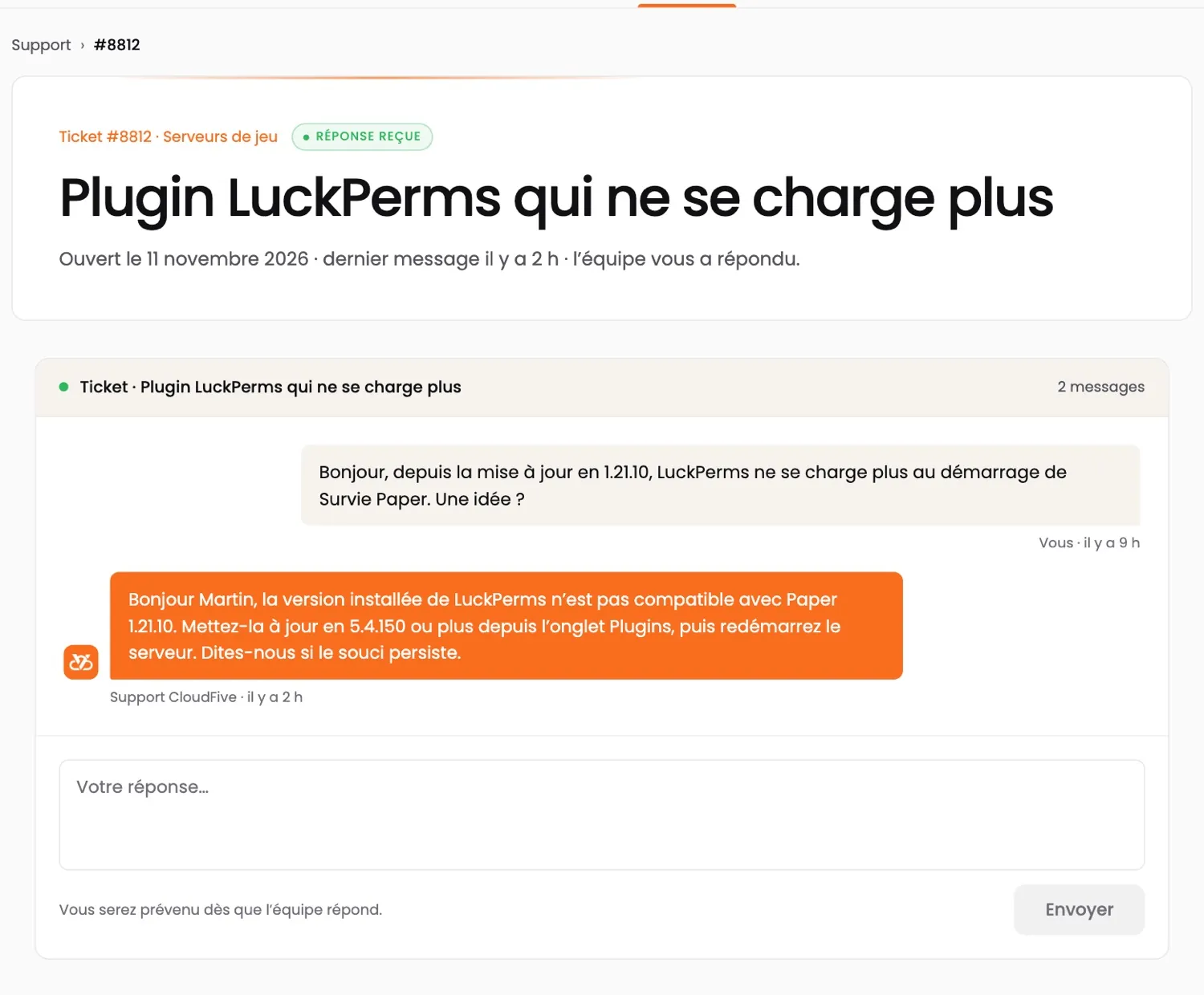
A ticket in the customer area: a customer’s question about a Minecraft plugin, and the CloudFive team’s reply
A real ticket in the customer area, answered by the team (demo account; shown in French).
CUSTOMER AREA · APP

Your servers.
At your fingertips.

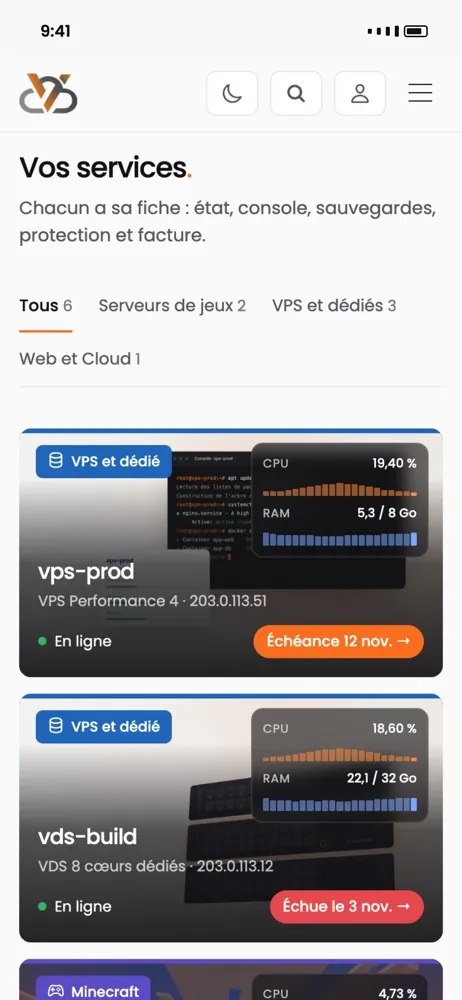
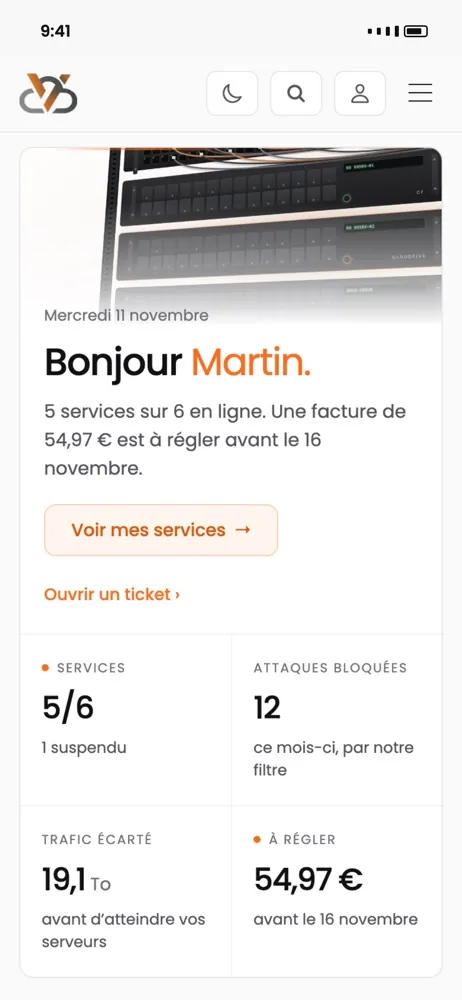
Restart a server, watch its resources live, pay an invoice or open a ticket — and get an alert when something goes wrong.

  • The status of all your services at a glance
  • Blocked attacks, filtered traffic, monthly peak
  • A notification when a server goes down or an invoice is due

App coming soon · in the meantime, everything works in your browser at manager.cloudfive.fr

The CloudFive app: the list of your services, with their status
The CloudFive app: the home screen, your services’ status, blocked attacks and an invoice to pay